Blog, Gmail Tips
Preview Pane
Step-by-step Instructions
1. In the settings menu, look for the option to enable the preview pane. This option may be labeled as “reading pane”.
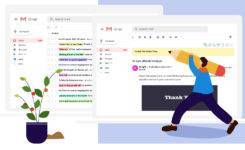
2. Once you have located the preview pane option, select the option to display it “right of inbox.” This will allow you to see a preview of your emails on the right side of your inbox, while still being able to see a list of your emails on the left side.
3. You can also place a preview of the email content in the bottom part of the page.
Overall, the preview pane is a useful feature that can help you stay organized and manage your emails more efficiently. So if you haven’t already, give it a try and see how it can help you better manage your inbox.