Blog
🔥 New Translation Plugin Is Live — Paste a Link to Instantly Translate & Summarize Any Webpage
When we’re absorbing information, reading reports, or browsing foreign articles, we often run into the same problems:
- The webpage is too long and we only want the key points
- Foreign content is hard to read and takes too much time
- We need to quickly understand the main ideas without manually digging through the whole text
Now, you don’t have to struggle through it anymore.
Our brand-new translation plugin makes the process incredibly simple —
just paste the link, and it automatically translates AND summarizes the entire webpage.
🚀 How to use it
Find the webpage you want to read
- Copy its URL
- Open Google Translate
- Paste the link into the left input box (source language)
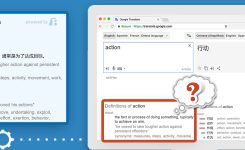
- Open the sidebar on the right and select “AI Summary” from our plugin
The plugin will automatically
Find the webpage you want to read
- Retrieve the content from the link
- Translate it according to your Google Translate language setting
- Generate a clear, readable, and well-structured summary
You won’t just get a translation — you’ll get a digestible version that highlights what truly matters.
🧩 Do you need to set up languages separately? Nope.
Two quick clarifications:
📍 The plugin appears only in the Google Translate sidebar
You continue using Google Translate as usual — no additional pages, no switching tools.
📍 Language settings fully follow Google Translate
Whatever languages you select in Google Translate, the plugin follows automatically.
No extra language configuration needed.
And of course —
👉 It supports every language that Google Translate supports.
🔚 Two additional features
Besides link-based translation and summarization, we also offer:
- Deep Translation for Short Texts — for more nuanced and precise interpretation of short content
- Content Polishing — improves grammar, clarity, tone, and flow without changing your intended meaning
If you want to not only understand text but also express it better, these will be useful.