Blog
File Translation Is Now Available on the Web in Google Translate Plus AI
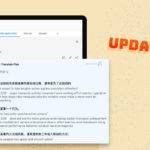
You can now translate documents and images into over 100 languages directly in your browser. Choose your target language, then drag a file onto the page or click Browse files to select one. Once your AI translation is ready, you can read it alongside the original or click Download translation to save a copy.
Have a file you’d like to translate? Click Browse files to try it with your own document.
Upload documents and images
Upload a presentation, a spreadsheet, or a screenshot with text in another language. You can translate the file without copying paragraphs or retyping text from an image.
You can upload files up to 10 MB each. To keep the translation for later or share it with a colleague, click Download translation.
Try it with a file you need to read today. Open File Translation, upload your file, and read it in your preferred language.