Blog
New CRM UI FAQ: Feels Like Gmail, Zero Learning Curve
Our CRM app now comes with a dedicated Gmail Tab — a workspace that looks and feels just like Gmail. The goal? Zero learning curve, so you can work more comfortably and focus on what matters.
Here are some common questions:
💡 What is the Gmail Tab in CRM?
The Gmail Tab is a special view inside our CRM app that mirrors Gmail’s familiar interface. It looks and works the same way, so you don’t need to relearn anything.
🏷️ What about Gmail labels and filters?
The Gmail Tab supports label filtering just like Gmail. Organize and filter your notes and emails the same way you already do — familiar and effortless.
🔄 Does it sync across devices?
Absolutely. Whether you’re using CRM on desktop or mobile, the Gmail Tab view, notes, and labels stay consistent everywhere.
📝 How do I add notes?
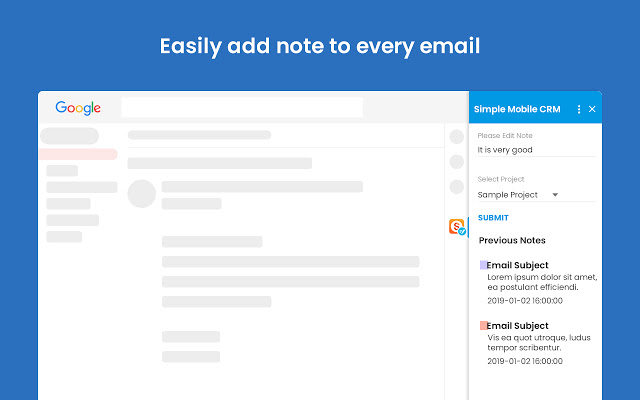
Click on any email inside the Gmail Tab and start writing your note. The process feels exactly like working in Gmail — simple, fast, and always in context.
🎨 Can I customize my notes?
Yes! You can change the background color of each note to match its priority, project, or topic. This makes important notes pop out in your Gmail-style list view.
📲 Ready to experience it?
Download the app now — or simply scan the QR code below to try the New CRM UI. Feels like Gmail. Zero learning curve.